
Secure medical image portal for sharing studies, reports and patient data
iMAGE Portal is the core offering and central component of the Perennity software suite. It provides a DICOM v3 compliant server, SQL database engine, two-tier storage management, user and rights management, email notifications, backup and recovery, plus optional modules that can be activated as needed.

The central component of the Perennity software suite
iMAGE Portal is built around a comprehensive DICOM v3 compliant server and includes a SQL database engine, two-tier storage management, user and rights management, email notifications, backup and recovery, and additional portal services.
Every iMAGE Portal includes the core services. Additional modules can be added as required, and most of these modules come preinstalled with Perennity. Activating or deactivating modules is handled through licensing.
Built around DICOM, storage management, user rights and reliable administration
iMAGE Portal provides the core services needed for secure medical image access and management. Its convenient web interface supports easy administration and operation, while user profiles control which areas of the portal users can access.
DICOM v3 Server
Includes a comprehensive DICOM v3 compliant server for medical imaging workflows.
SQL Database Engine
Uses a rock-solid SQL database engine as part of the core portal services.
Two-Tier Storage
Includes two-tier storage management to support portal data handling.
User and Rights Management
Users can access specific portions of the portal depending on their profile.
Email Notifications
Email notification functionality is included as part of the core offering.
Backup and Recovery
Backup and recovery capabilities are included in the portal foundation.
Easy administration with profile-based portal access
The convenient web interface allows for easy administration and operation. Depending on the user profile, a user can access specific portions of the portal, such as administration, viewing or diagnosing.
This profile-based approach helps healthcare organisations control access while still giving users the tools they need for their role.
- Convenient web interface
- Easy administration and operation
- Profile-based portal access
- Access to administration, viewing or diagnosing based on profile
- Additional modules can be licensed as needed
Integrate diagnostic reports from multiple sources
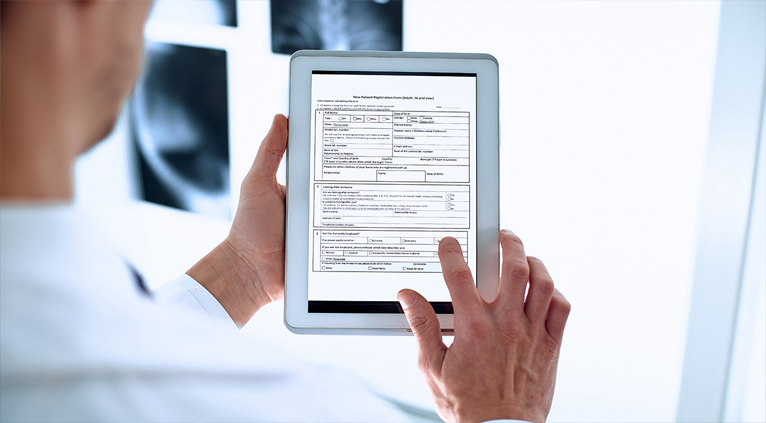
Diagnostic reports can be integrated from a number of sources. Reports may already be available in DICOM format, such as DICOM Structured Report or DICOM PDF.
Reports can also be fetched from a report publishing instance such as RIS, Broker, file system, web server or database. On the portal, reports are made available as PDF documents that can be viewed, downloaded or printed.
- DICOM Structured Report support
- DICOM PDF support
- RIS, Broker, file system, web server or database sources
- Reports available as PDF documents
- View, download or print reports from the portal
Secure study access for patients and referring physicians
With the patient/referrer portal feature, iMAGE Portal offers a secure web portal for patients and referring physicians. It gives patients access to their studies and gives physicians access to their patients’ studies through robust authentication.
iMAGE Portal provides a cost-effective, efficient alternative to portable media distribution, with secure access to imaging studies and reports on any recent browser, including Android and iOS.
Controlled sharing for patient data
Patients can download studies and share them with another physician or clinical specialist for a defined time period.
To enhance security, complex password rules are enforced. Optional two-factor authentication via email, SMS or WhatsApp adds another level of data safekeeping.
- Patients can download studies
- Patients can share studies for a defined time period
- Complex password rules are enforced
- Optional two-factor authentication via email
- Optional two-factor authentication via SMS or WhatsApp


Customise the portal and control publication periods
The portal can be personalised by adding your own logo and a personal background image.
Data retention rules can also be configured to publish studies for a set time period, such as one year.
- Add your own logo
- Add a personal background image
- Configure data retention rules
- Publish studies for a set time period
Ergonomic, patient-focused, flexible and secure
iMAGE Portal combines an ergonomic interface with patient/referrer access, hybrid flexibility and security features designed to protect medical data.

Ergonomic and Customizable
The interface is designed for easy navigation and adaptability, allowing settings to be tailored to your needs for an optimal user experience.

Designed for Patients and Referrers
The solution facilitates seamless access and exchange of medical data, enhancing collaboration and patient care.

Hybrid Optional
The platform can function both on-premises and in the cloud, allowing you to choose the most effective setup for data storage and access needs.

First-Rate Security
Robust security measures help keep medical data confidential and protected against potential threats.
Secure browser-based access to imaging studies and reports
The patient/referrer web portal supports secure access to studies and reports on recent browsers, including Android and iOS.
This makes it a practical alternative to portable media distribution where patients and referrers need controlled access to imaging information.
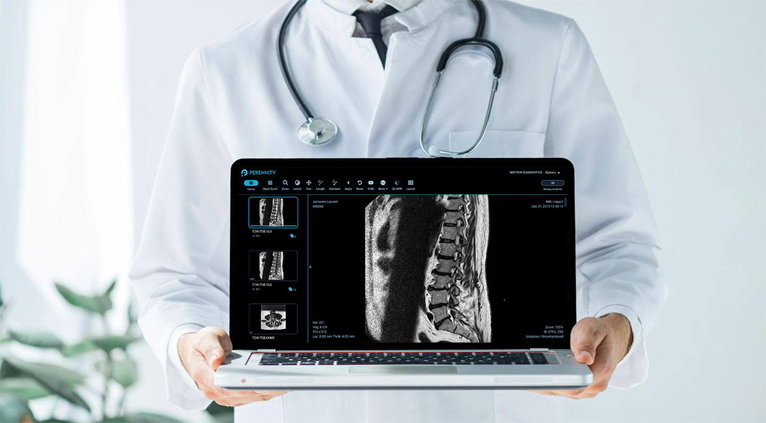
iMAGE Portal is available in four editions
iMAGE Portal is available in Lite, Basic, Pro and Enterprise editions. These editions are designed to support different environment sizes and DICOM node requirements.

Lite
Designed for small environments with support for up to 5 remote DICOM nodes. It typically runs on Windows 11 Pro, physical or virtual machine.

Basic
Designed for small environments with support for up to 5 remote DICOM nodes. It typically runs on Windows 11 Pro, physical or virtual machine.

Pro
Designed for institutions with up to 10 remote DICOM nodes. It can be installed on Windows 11 Pro or a Windows Server physical or virtual machine.

Enterprise
Enterprise caters to large, high-workload environments, supporting unlimited remote DICOM nodes on any Windows Server.
A flexible portal for medical image access, reporting and patient/referrer sharing
iMAGE Portal is best understood as the core Perennity portal platform for DICOM image sharing, study access, reporting, patient/referrer access and configurable user rights. Its modular licensing approach allows additional functionality to be activated when required.
Ready to modernise your medical image portal workflow?
Tell us your imaging environment size, remote DICOM node count, report publishing requirements, patient/referrer access needs, security requirements and preferred deployment model. Intellistor will help identify the right iMAGE Portal edition and configuration.
