
The pioneer in CD/DVD and USB medical image publishing
Media Burner, previously known as Perennity DICOM, has been a cornerstone product for CD/DVD publishing for many years. It continues to support hospitals and clinics worldwide by producing CDs, DVDs and USB keys for medical image distribution.
Turnkey output of medical images to CD, DVD or USB key
Media Burner provides healthcare organisations with a turnkey solution to output medical images from any digital modality and PACS to a CD, DVD or USB key, dramatically reducing costs compared to traditional film.
Studies can be queried and retrieved from a PACS and then output to physical media, or studies can be sent directly from a modality or workstation to Media Burner.
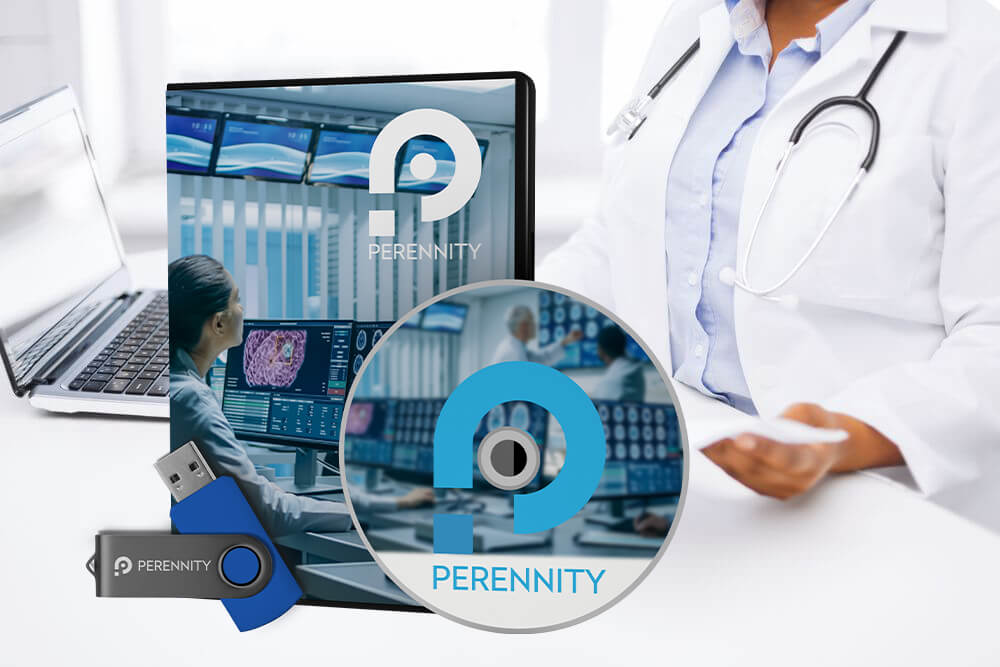
CD, DVD and USB production with robotic recording and printing
Media Burner facilitates the production of CDs, DVDs and USB keys, typically in combination with a robotic system for combined recording and printing.
It supports major brands including Rimage, Epson and Primera, as well as semi-automated USB production systems such as Rimage RX400M.
- CD and DVD production
- USB key production
- Robotic recording and printing workflows
- Rimage, Epson and Primera autoloader support
- Semi-automated USB production system support
Aligned Media Burner workflow features
These four blue Media Burner visuals are grouped together in one clean row so the page feels organised and consistent. They highlight the key workflow areas of accessibility, customisation, profile control and overall solution capability.

Accessibility
Media Burner’s intuitive user interface is accessible from any web browser on Windows, Mac and Linux.

Customizable
Media output can be personalised with custom labels, patient details, study lists, images and logos.

Define Profiles
Profiles can be defined using modality type, AE title or DICOM tag values to automate workflow rules.

Solutions
Supports turnkey medical image publishing from digital modalities and PACS to CD, DVD or USB key.
Integration with the Patient/Referrer Portal
Combined with the Patient/Referrer Portal option, Media Burner provides a hybrid publishing solution where patients can choose whether to receive a CD/DVD or USB key, or access their studies via the web portal with an integrated viewer.
From the portal, patients can download selected studies in DICOM or JPEG format, with or without a viewer. They can also share studies with other medical experts, such as a physiotherapist or for a second opinion.
- Patient choice between physical media and web portal access
- Integrated viewer through the portal workflow
- DICOM or JPEG study downloads
- Downloads available with or without viewer
- Easy sharing with other medical experts
Zero-footprint viewing, adaptable profiles and efficient production
Media Burner supports both physical media publishing and flexible workflow control, helping imaging teams produce the right output for each study type, modality or clinical scenario.

Zero Footprint Viewer
Each produced disc includes a built-in portable viewer, allowing users to view study images directly from the disc without installing software.

Adaptable Workflow Profiles
Supports workflow scenarios such as emergency discs, anonymous discs and dedicated modality viewers.

Efficiency and Customizability
Supports attended manual processing and unattended automatic processing, with highly customisable label design.
Robotic Systems
Supports major robotic systems for combined recording and printing across CD, DVD and USB workflows.
Apply workflow rules based on modality, AE title or DICOM tags
Media Burner allows users to define profiles based on chosen criteria, such as modality type, AE title or DICOM tag values.
Different rules can then be applied, such as using a specific viewer for a certain modality type, anonymising all images or prioritising production for emergency cases. Profiles can be sorted by priority if they overlap.
- Profile rules based on modality type
- Profile rules based on AE title
- Profile rules based on DICOM tag values
- Dedicated viewer selection by modality type
- Anonymous image production workflows
- Emergency production prioritisation
- Profile priority sorting when rules overlap
Flexible DICOM output, automation and web-based control
Media Burner supports medical image output from modalities and PACS, DICOM server functionality with iMAGE Portal, hybrid portal publishing, automated media production and browser-based access.
Turnkey Medical Image Output
Output medical images from any digital modality and PACS to CD, DVD or USB key.
DICOM Server with iMAGE Portal
Combined with iMAGE Portal, Media Burner acts as a genuine DICOM server that stores medical images for subsequent analysis.
Hybrid Output Choice
Combined with Patient/Referrer Portal, users can choose CD/DVD/USB and/or web portal access.
Robotic Automation
Supports CD/DVD autoloaders to automate production and personalise media with custom labels.
USB Label Support
For USB media, an identifying label can be printed on a small label printer.
Viewer Flexibility
Almost any DICOM-compliant viewer can be added to the disc.
Intuitive web interface across Windows, Mac and Linux
Media Burner’s intuitive user interface is accessible from any web browser on any platform, including Windows, Mac and Linux.
This helps teams manage study output and media publishing from a familiar browser-based environment, while supporting both PACS query/retrieve and direct study input from a modality or workstation.
- Accessible from any web browser
- Supports Windows, Mac and Linux
- Query and retrieve studies from a PACS
- Accept studies sent directly from a modality
- Accept studies sent directly from a workstation
A mature publishing workflow for hospitals and clinics that still need physical media
Media Burner is best understood as a mature medical image publishing workflow for environments that still need CD, DVD or USB output. Its strongest value is in robotic automation, custom label production, PACS and modality input, portable viewer support, profile-driven workflows and hybrid integration with Patient/Referrer Portal access.
Ready to modernise your CD/DVD and USB medical image publishing workflow?
Tell us which PACS or modalities you need to connect, whether you need CD/DVD, USB, robotic autoloaders, custom printed labels, disc encryption, portable viewers, profile-driven workflows or Patient/Referrer Portal integration. Intellistor will help confirm the right Media Burner configuration.
